Product tour
Walk through MedTill, screen by screen.
These are real screens of the application running its demo pharmacy, no mock-ups, no placeholders. Follow the numbers, then book a demo to drive it yourself.
01
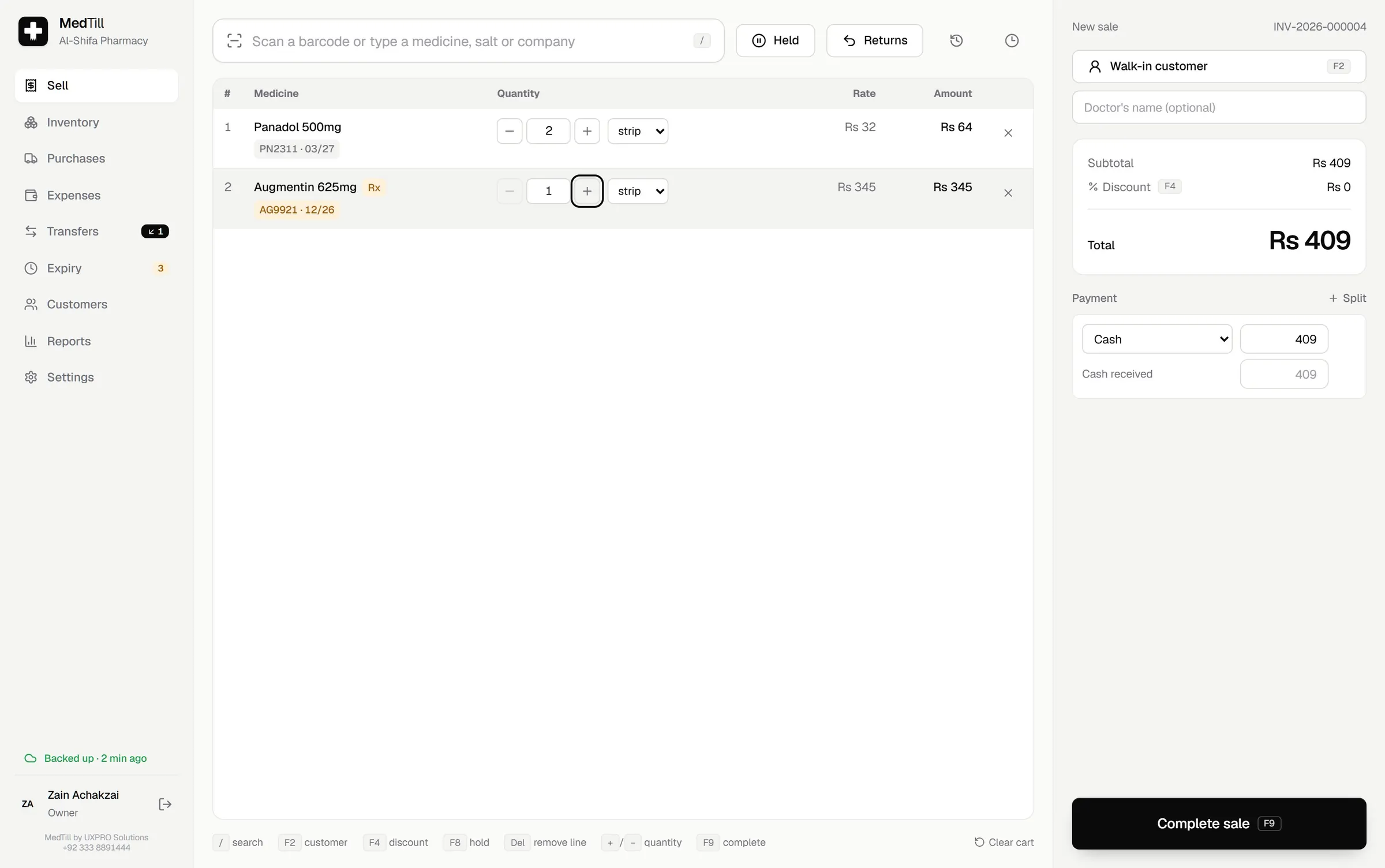
Sell: the screen your cashier lives on
Scan or type, pick strip or tablet, and MedTill chooses the batch that expires first. Take cash, Easypaisa, bank or a split. Hold a cart for the next customer and finish it later. Complete the sale and the receipt prints, the drawer opens, and stock, customer balance and cash drawer update in one atomic step.
02
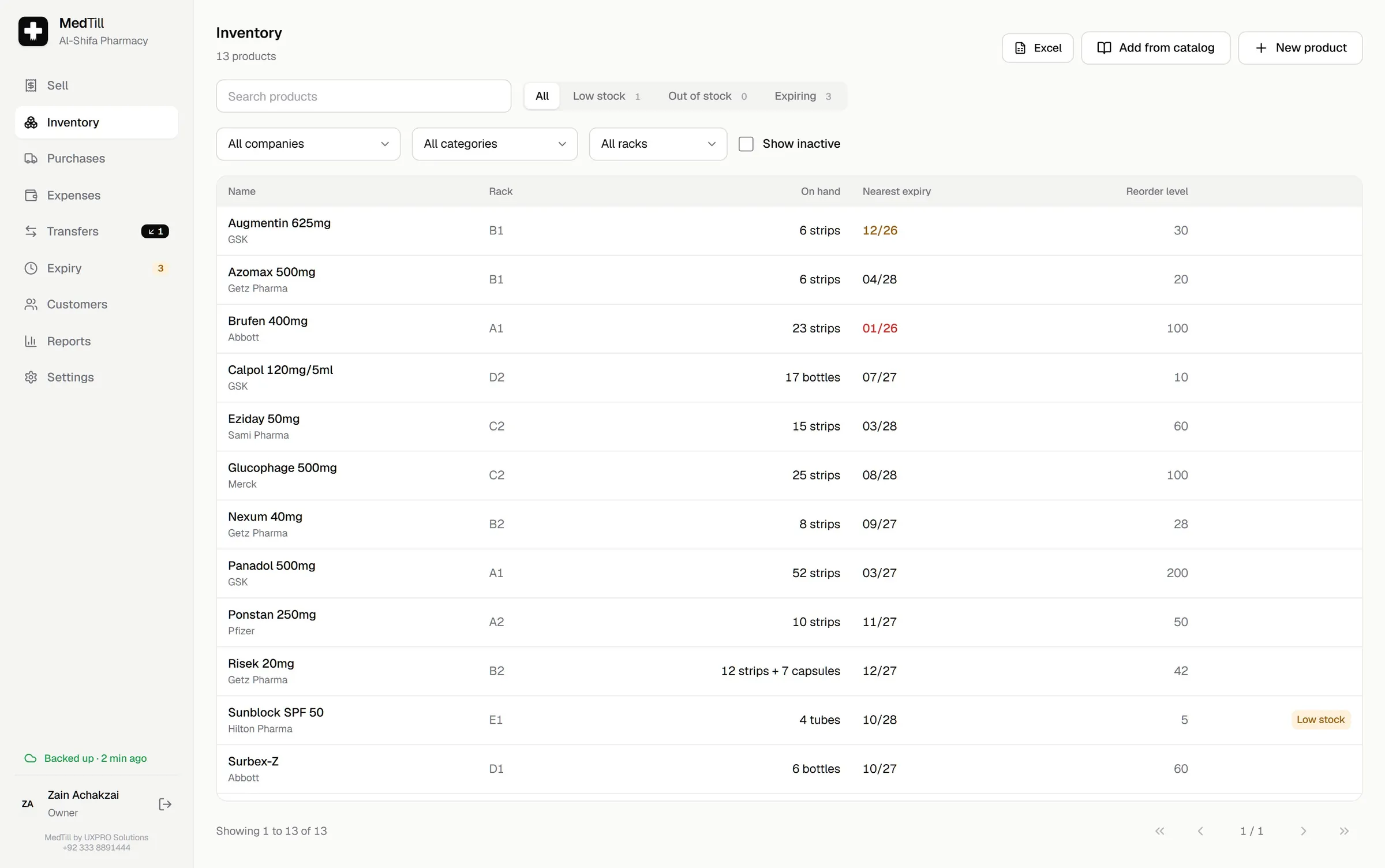
Inventory: every batch traceable
Products, barcodes, salts, manufacturers and rack locations. Each medicine's batches carry their expiry, cost and MRP, and every movement (purchase, sale, return, transfer or adjustment) is in the history.
03
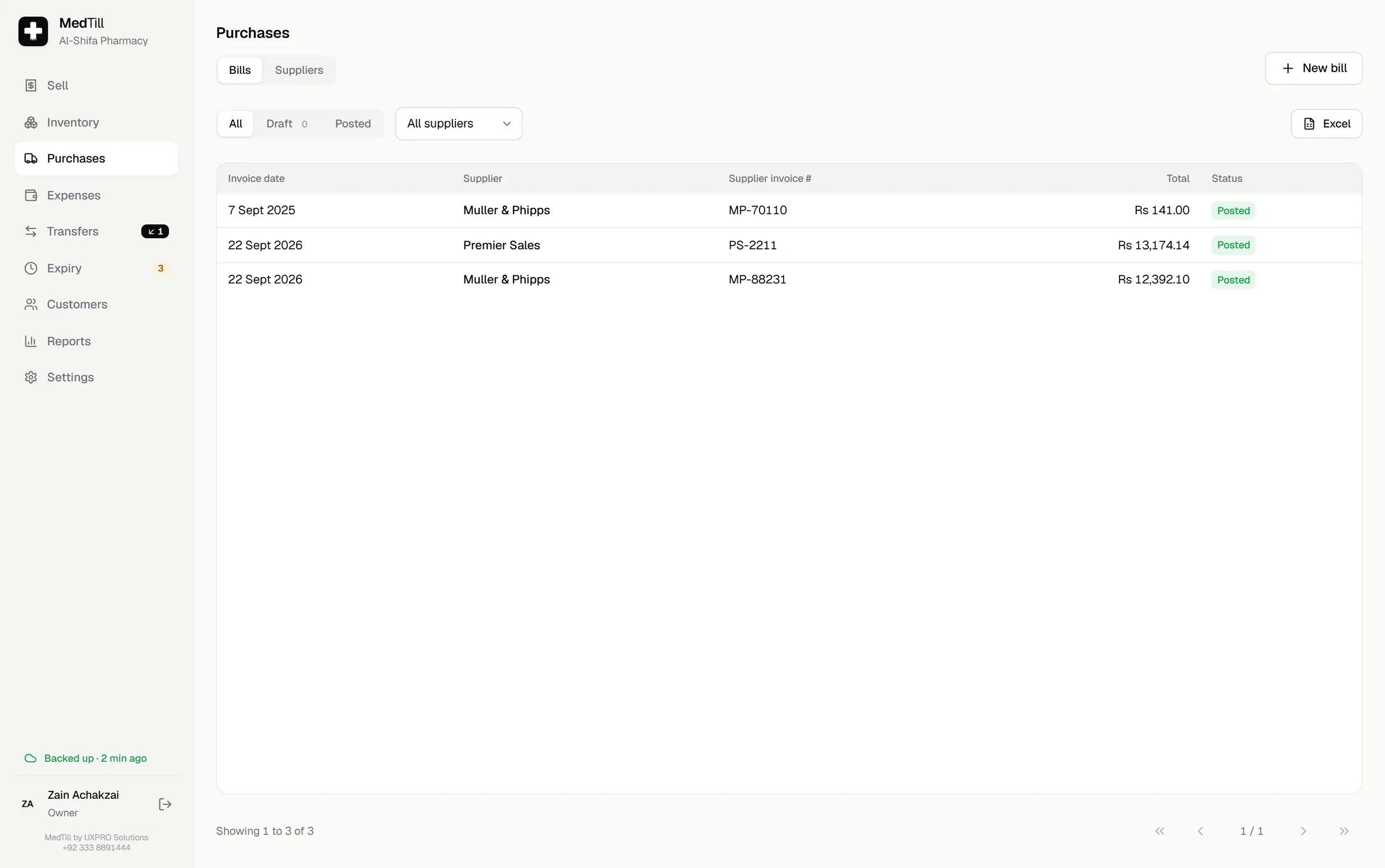
Purchases: bills that post atomically
Enter a supplier bill with batch, expiry, bonus stock, trade price, discount and MRP. Live margin shows while you type. Post it and stock, supplier balance and ledgers all update together, or save it as a draft and finish tomorrow.
04
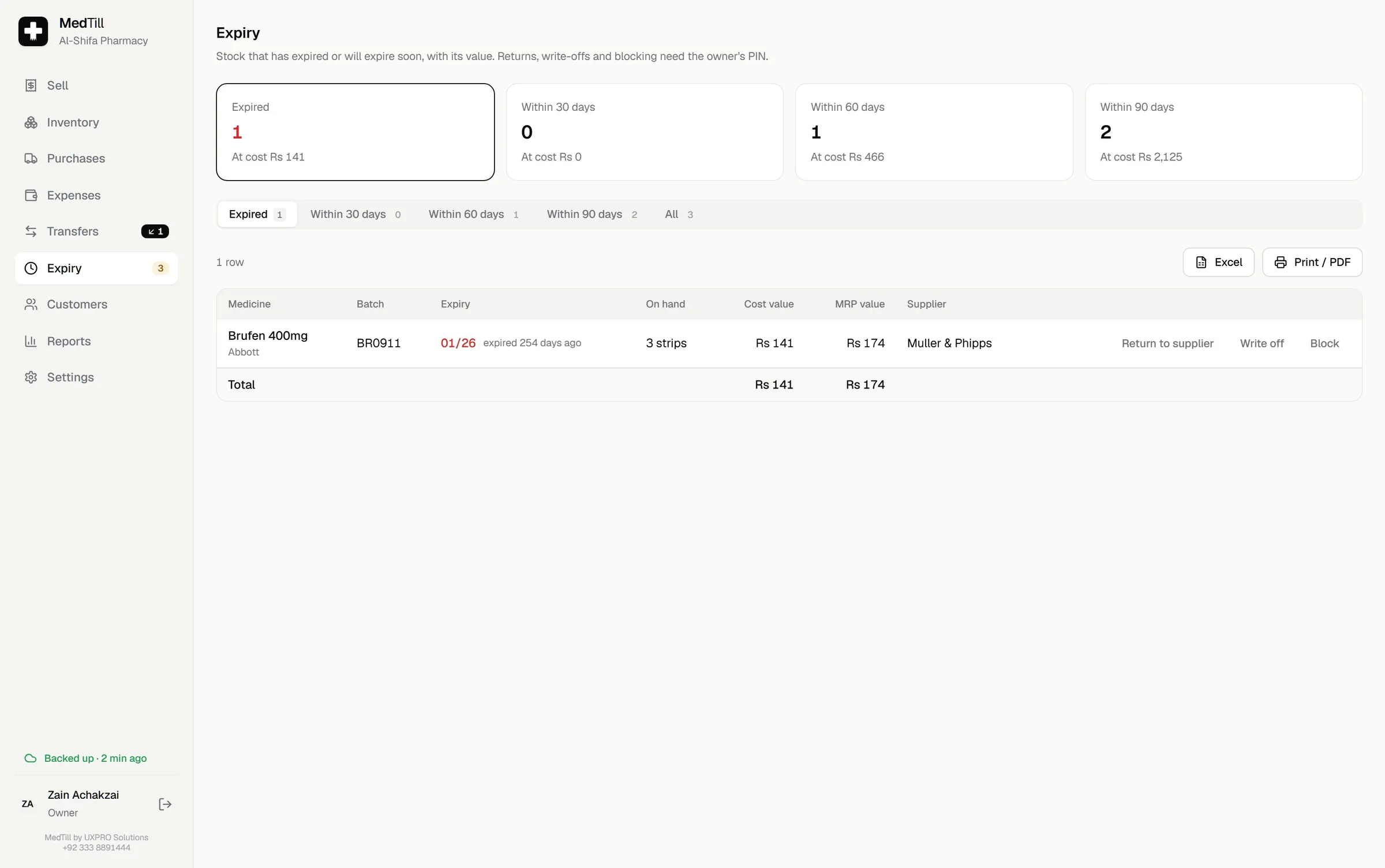
Expiry: before it costs you
MedTill groups every batch into expired, 30, 60 and 90 days to expiry, with the money sitting in each group. Write off, block from sale, or arrange the return to supplier, with the owner's approval on every action.
05
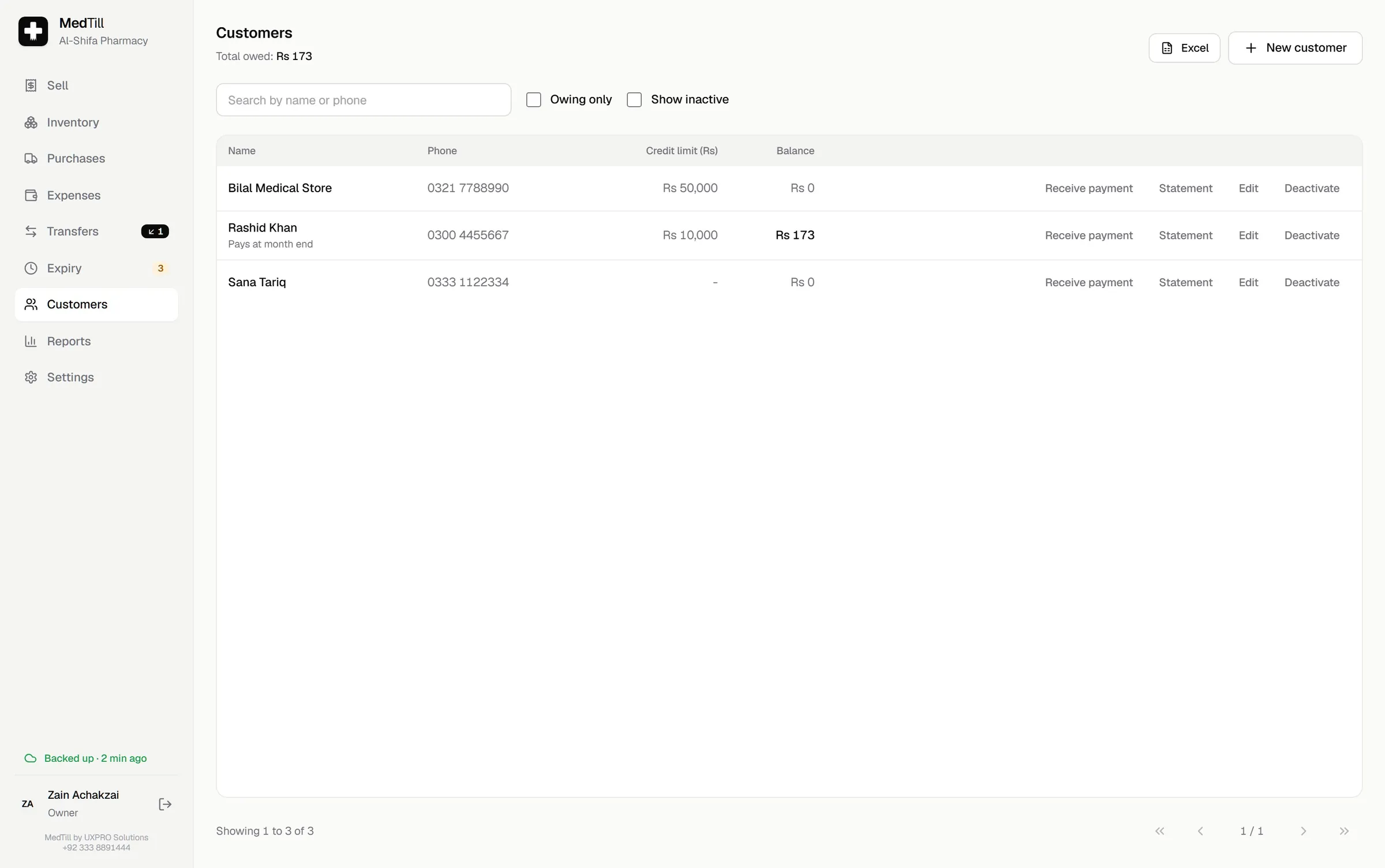
Customers: credit with limits
Keep balances, set credit limits, receive payments and print statements. A sale that would push a customer past their limit stops and asks.
06
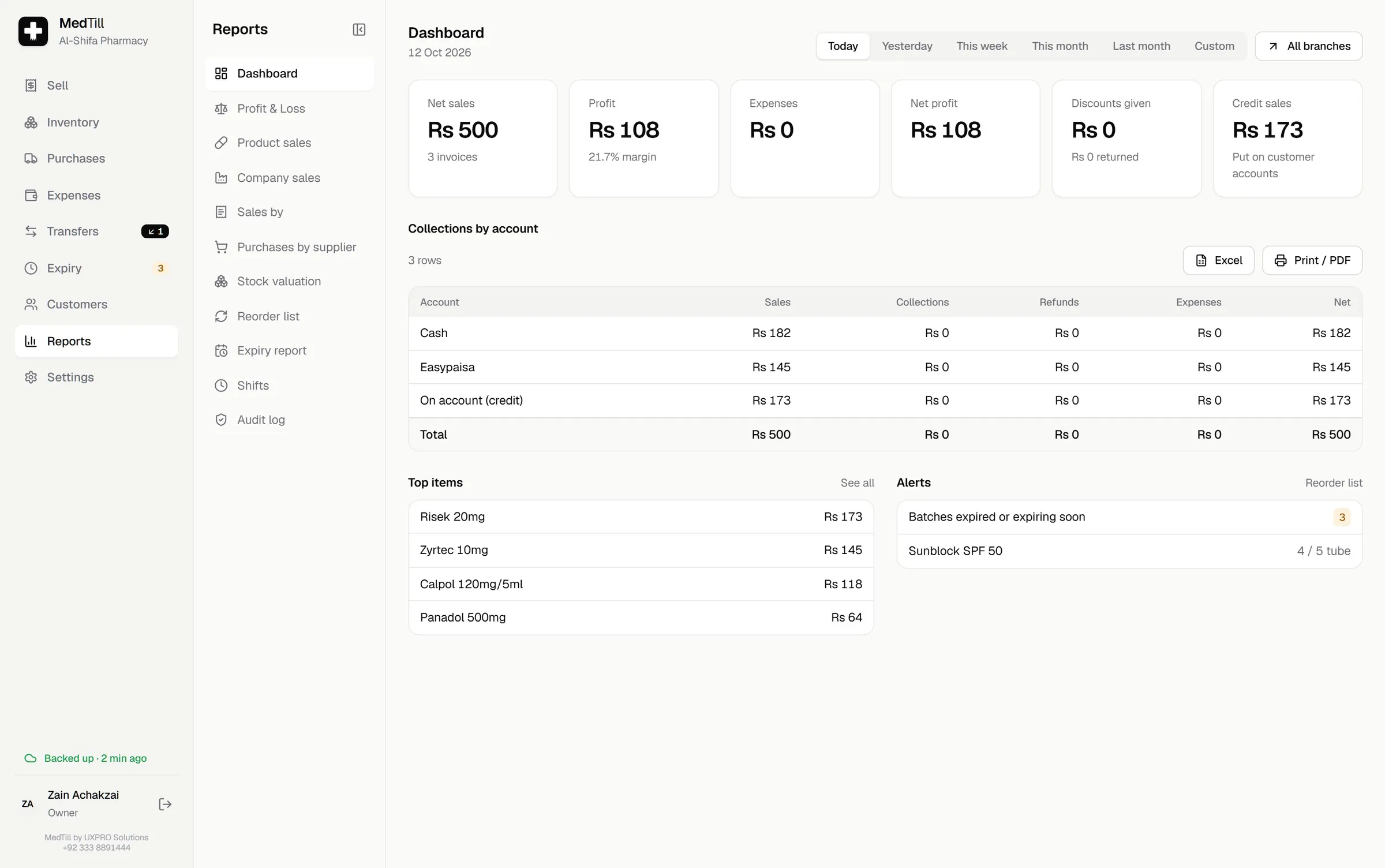
Reports: the evening answer
Net sales, profit, expenses and net profit for today, yesterday, the week or any range. Sales by product, company, salt, cashier or account, each row drilling down to the invoices. Excel and PDF export for your accountant.
07
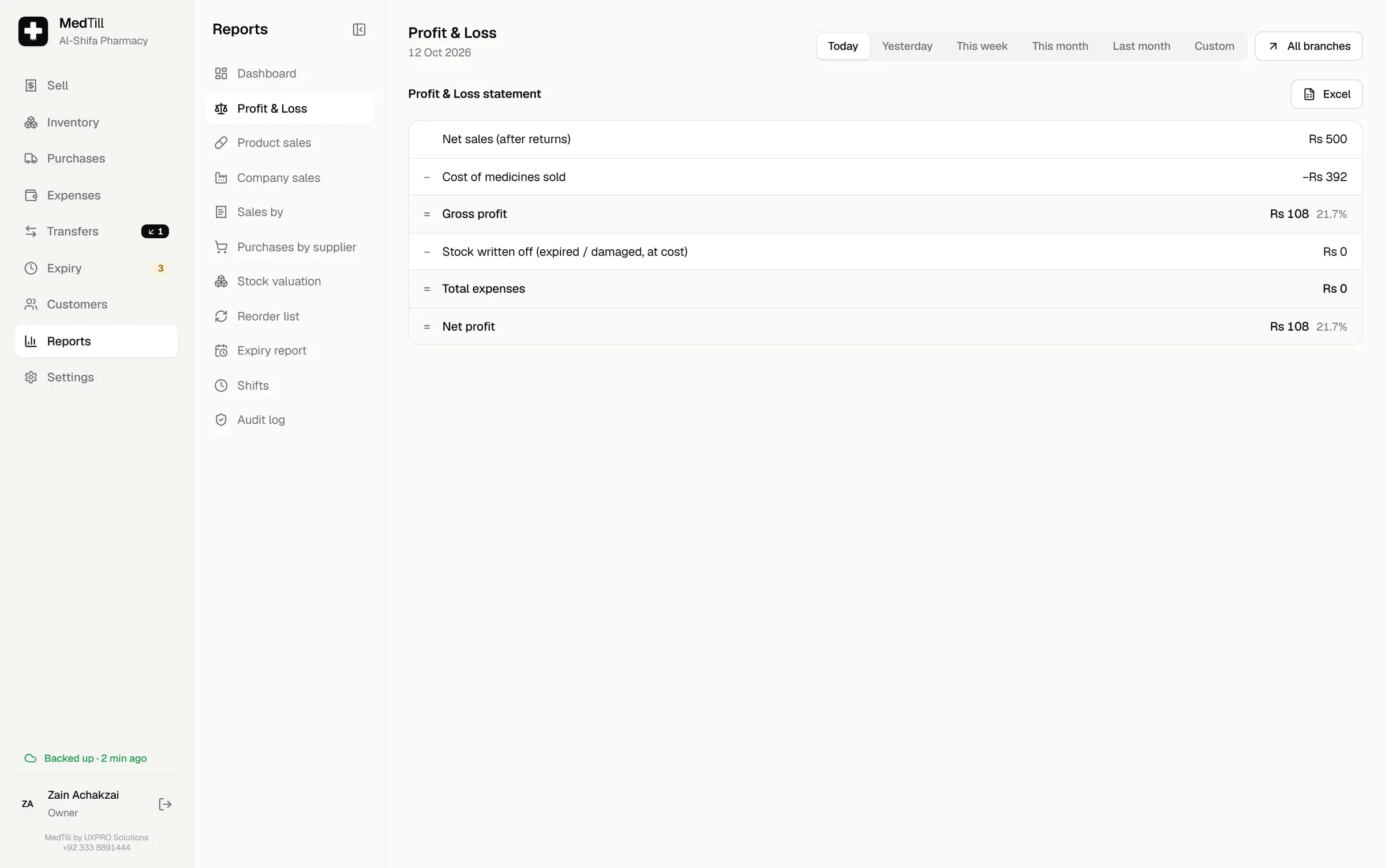
Profit & Loss: the real net profit
Gross profit from what you sold, minus what you wrote off, minus what you spent: rent, salaries, electricity, tea. One line per expense category, month by month for longer periods.
08
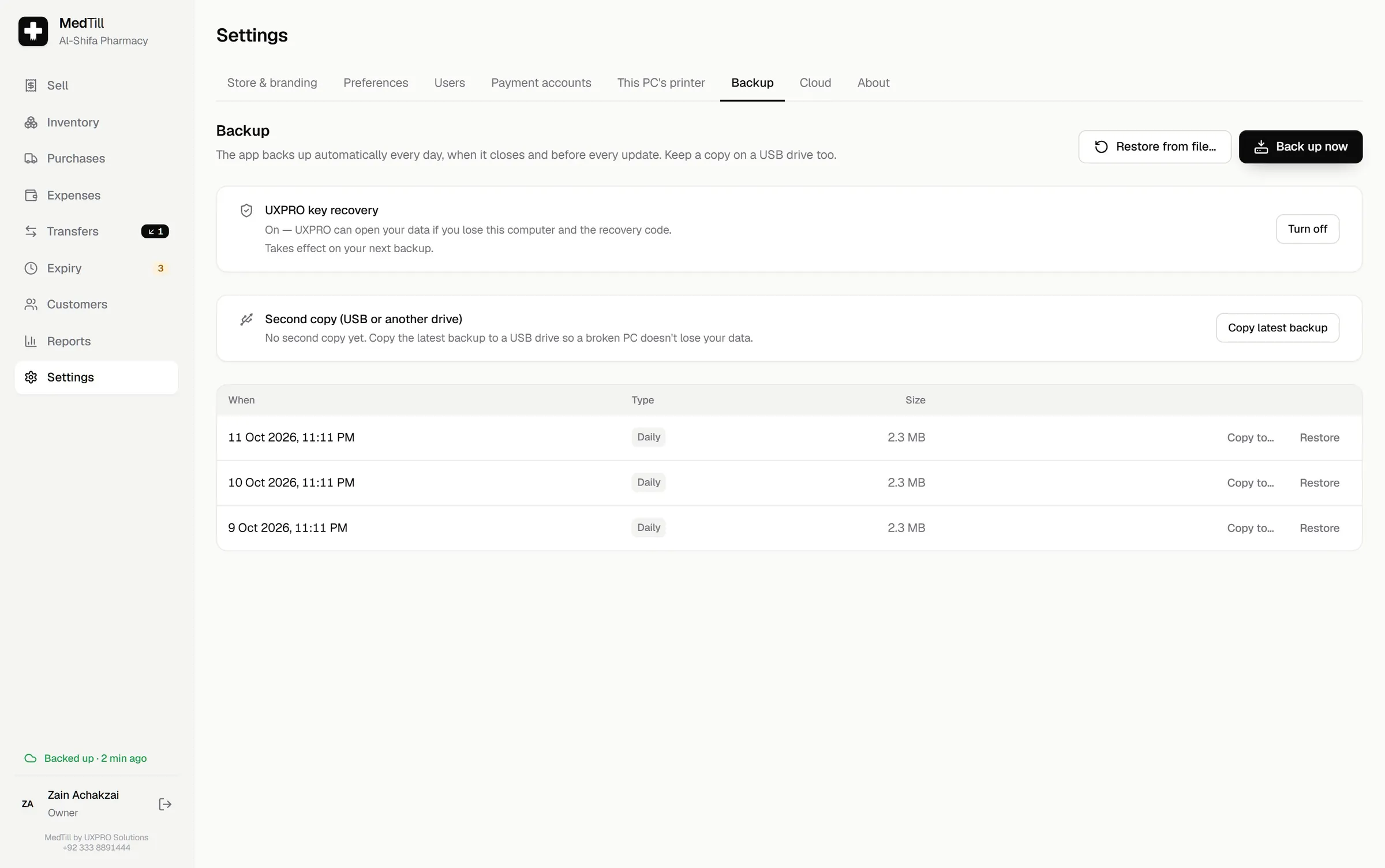
Backup: done before you think about it
MedTill backs up automatically every day, on close, before every update and before any restore, keeping 30 days plus 12 monthly. Copy the latest to USB in one click, or restore any backup. Restores are owner-approved and logged.
09
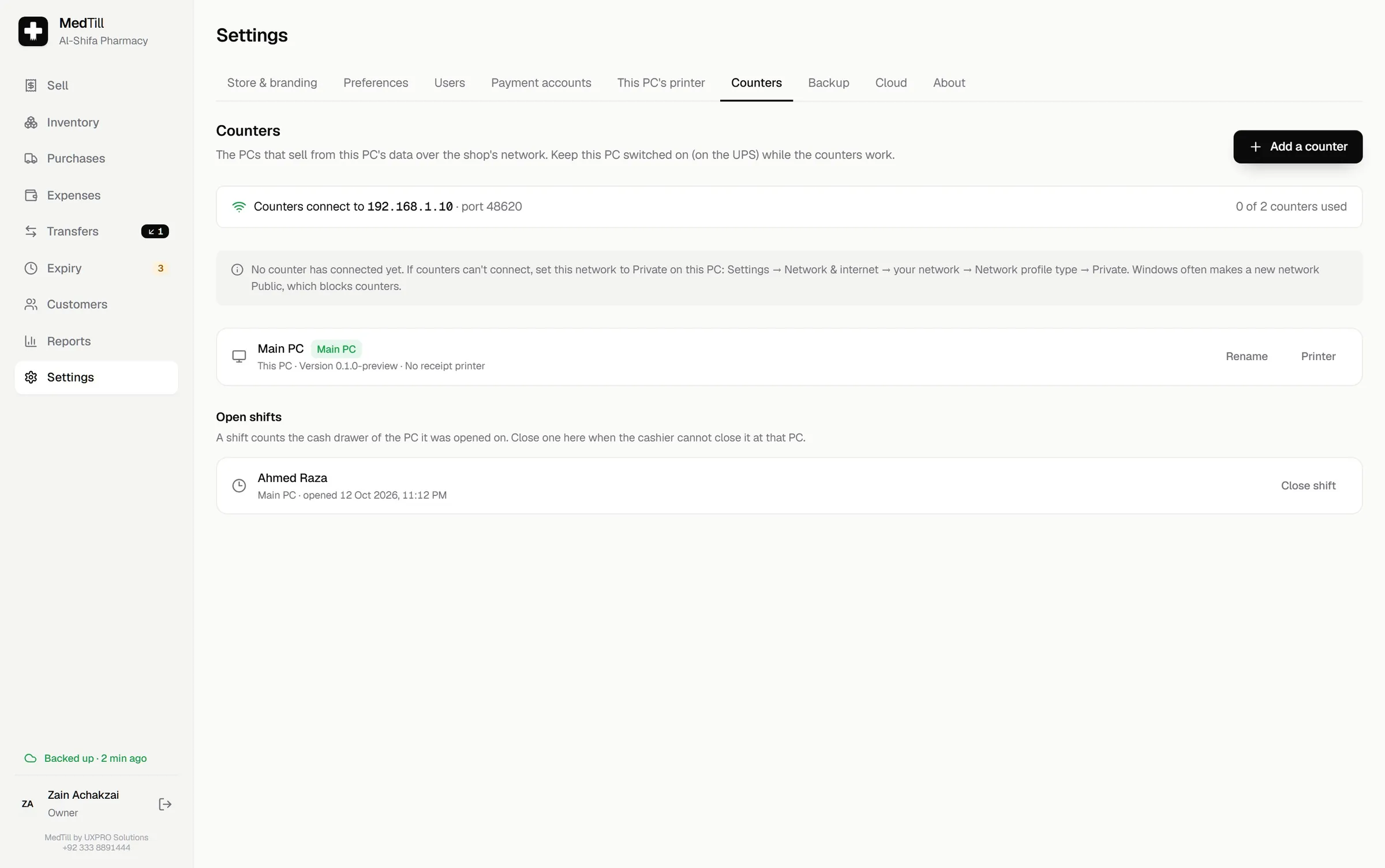
Counters: more tills, one stock figure
Pair extra counter PCs over your shop's own network. Each counter keeps its printer, shift and held carts, and sells against the same live stock; a sale is recorded exactly once, even if the network drops mid-sale.
10
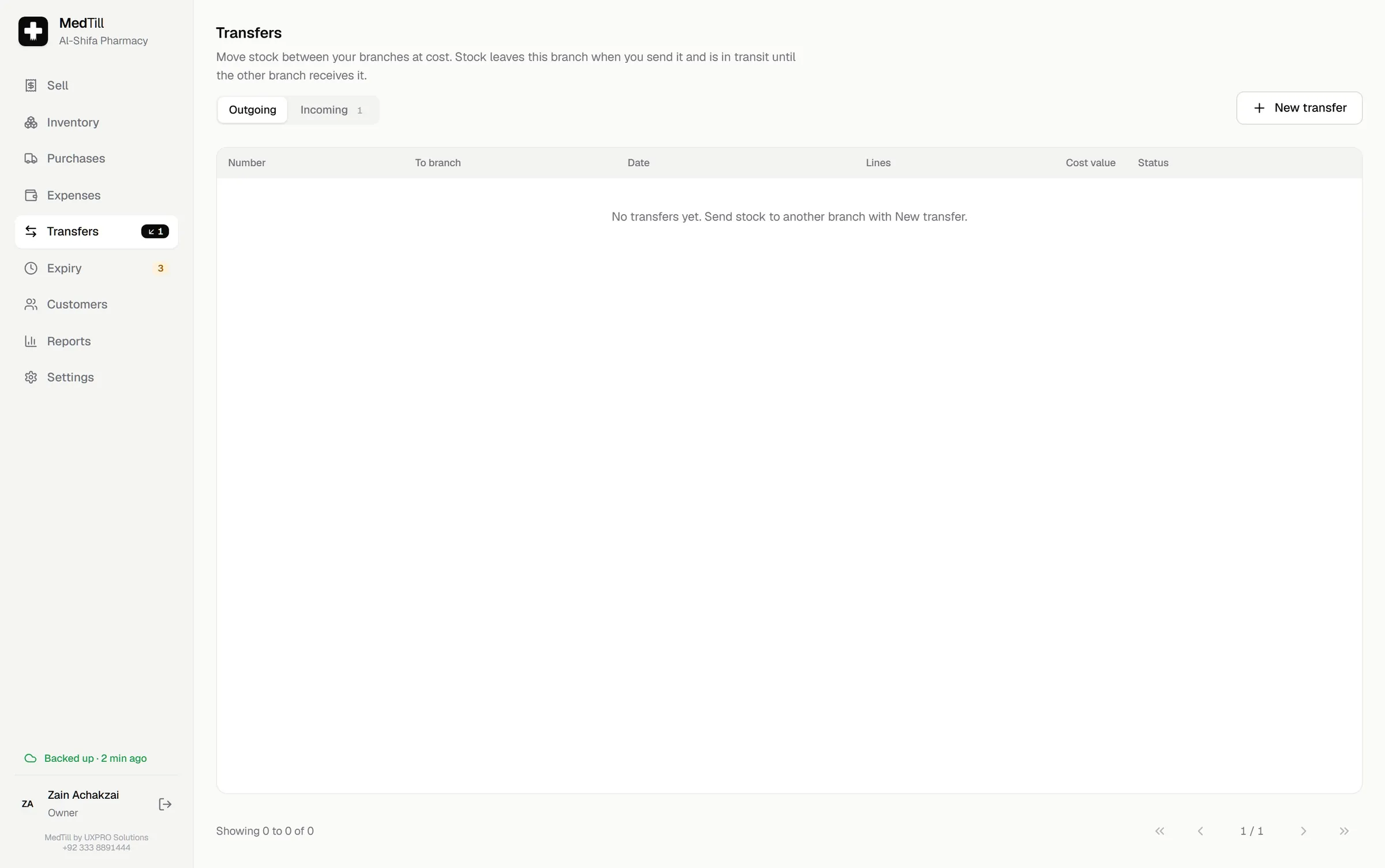
Transfers: stock between branches
Send stock to another branch at cost: the batches leave your stock the moment you print the transfer note, travel in transit, and arrive for review at the other branch. Short quantities become a transit loss you can see.
11
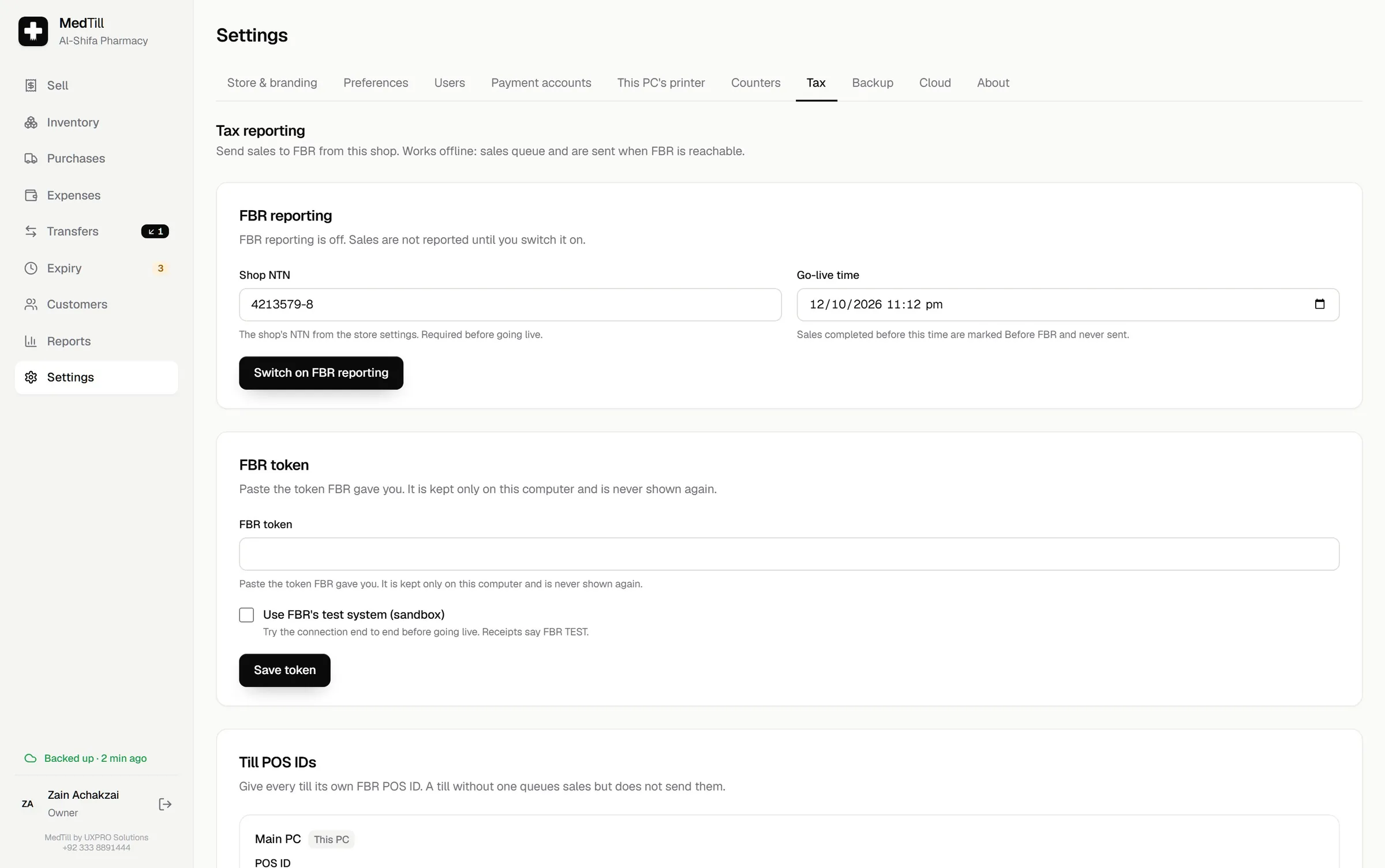
FBR tax reporting: the optional add-on
With the FBR add-on, every sale and return is reported to FBR and the receipt carries the returned FBR invoice number, a QR code and FBR's logo. It queues offline and sends when FBR is reachable. The owner controls the token, per-till POS IDs and go-live time.
12
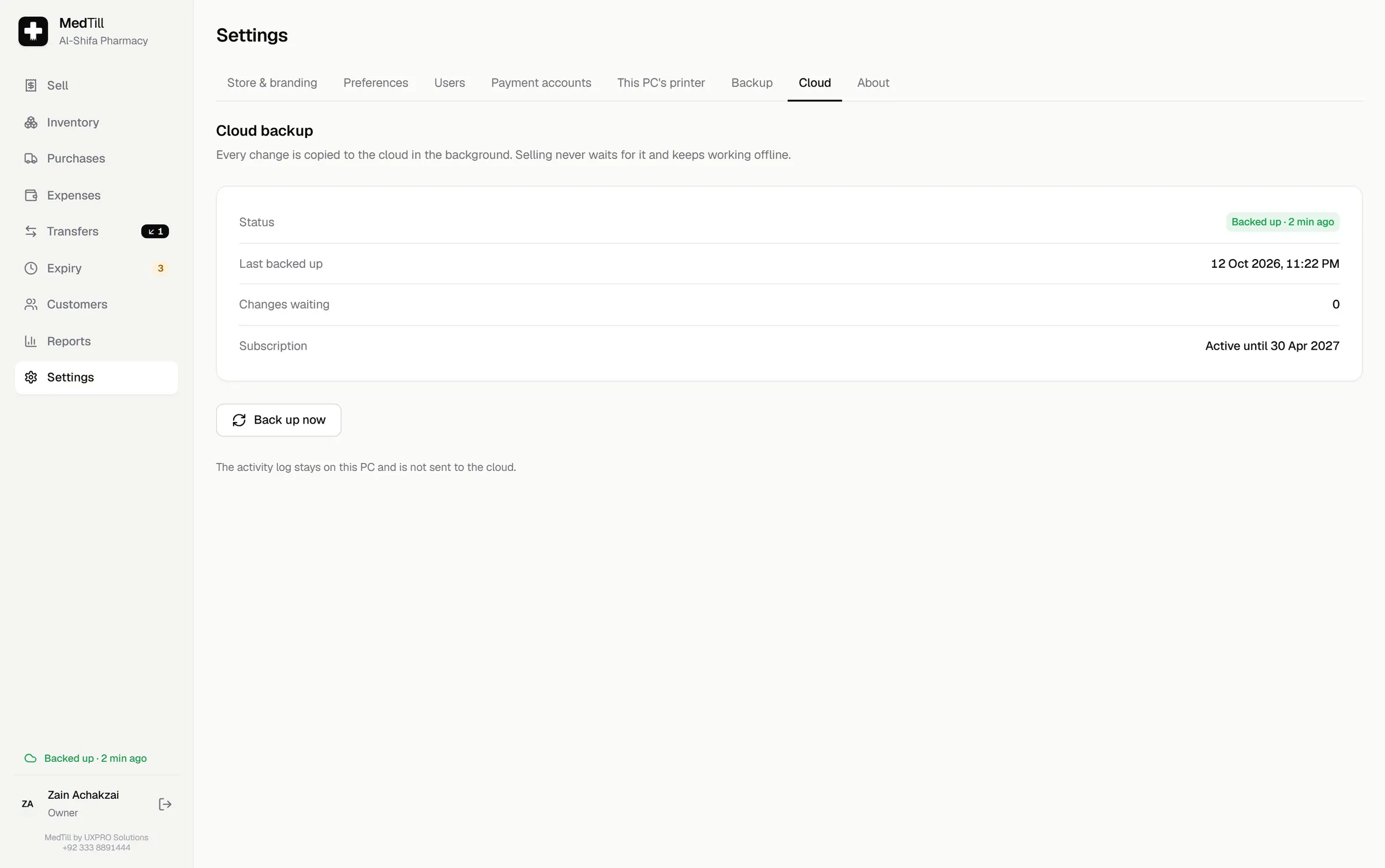
Cloud backup: quietly always on
With the cloud add-on, every change uploads in the background every 30 seconds. The sidebar pill always tells the truth: Backed up · 2 min ago, Uploading N changes, Offline, or Needs attention. A new PC restores from the cloud on its first start.
The best way to judge software is to use it.
Book a free demo, in person or on a call, and click through these screens yourself, with your own medicines and your own workflow.