Features
Built for the way a pharmacy actually works.
Explore each part of the pharmacy day and see the real screen behind it. Every feature below is in the product today, not a roadmap.
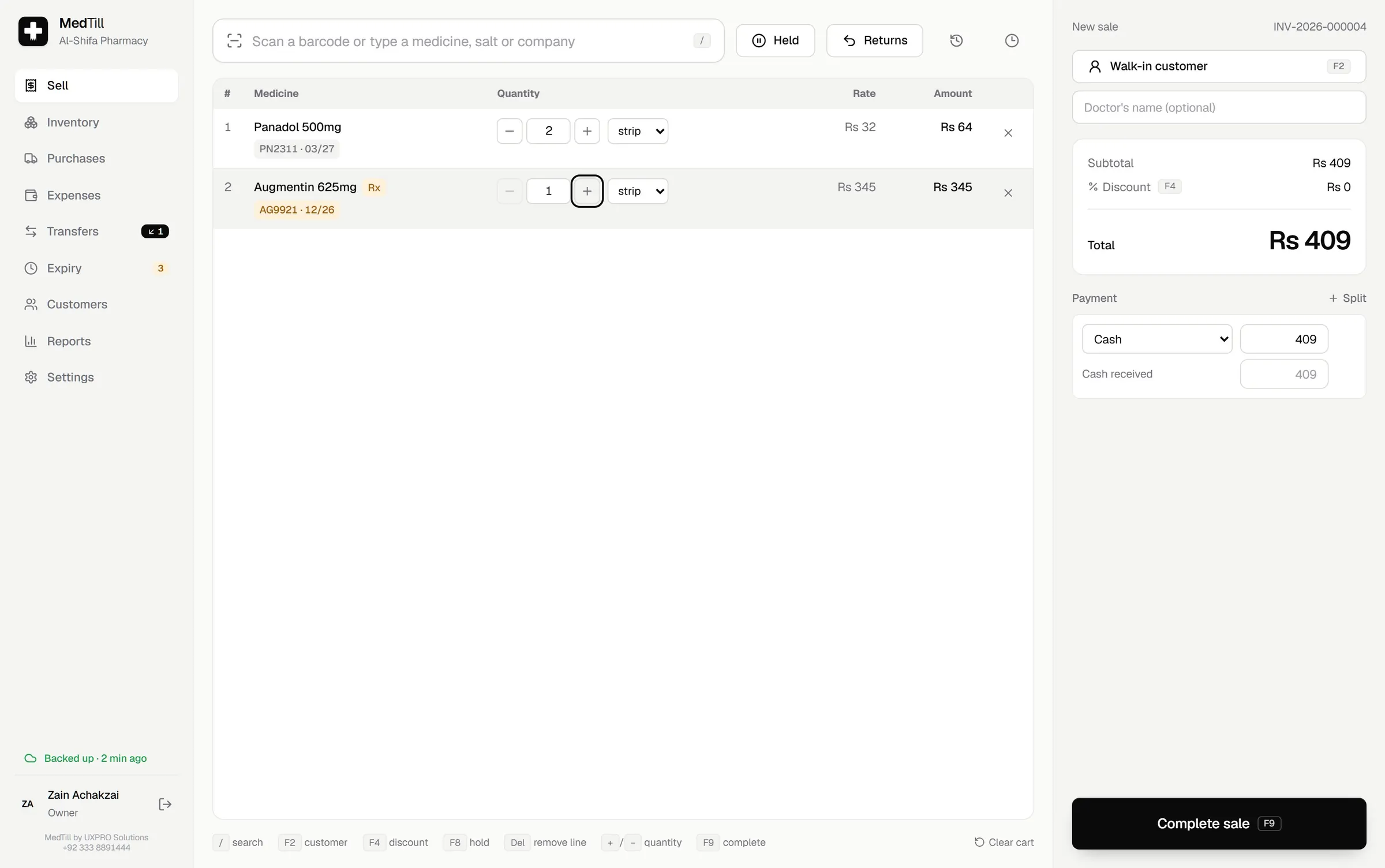
Selling that keeps the queue moving
Scan a barcode or search by name, salt or company. MedTill picks the batch that expires first, sells by strip or tablet, and takes payment however the customer pays.
- FEFO batch picking, so the oldest stock sells first
- Sell by strip or by tablet, with your own units
- Split payments across cash, Easypaisa, bank and more
- Discounts within the cashier's limit; above it, the owner's PIN approves
- Credit sales with customer credit limits and balances
- Held carts that come back automatically, even after a restart
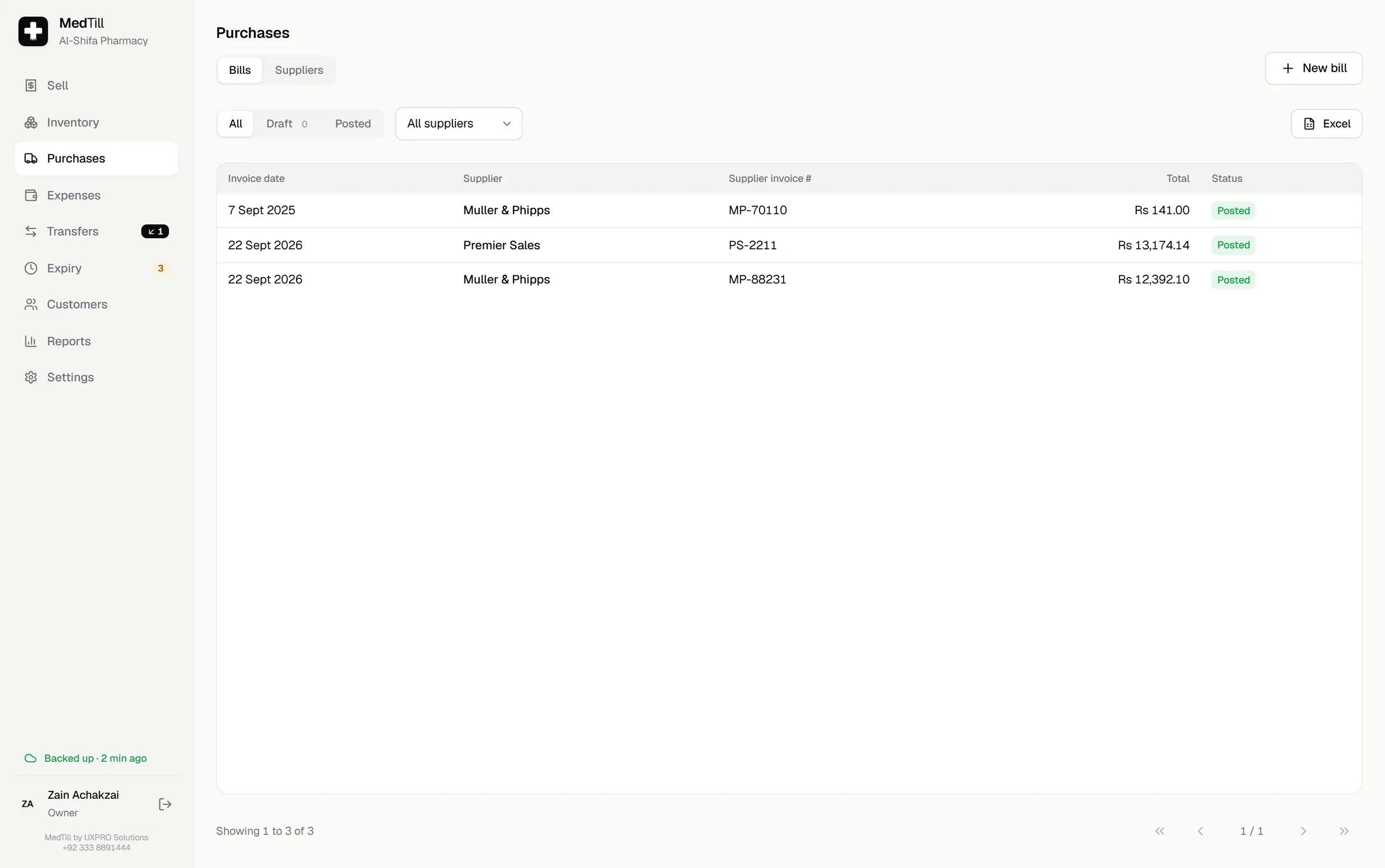
Purchasing with the margin in view
Enter a supplier bill once and MedTill does the rest: stock, batches, expiry and the supplier's balance all update together, atomically.
- Batch, expiry, bonus stock, trade price, discount and MRP per line
- Live margin while you enter the bill
- Drafts to finish later; posted bills become immutable records
- Supplier payments, statements, returns and expiry claims
- Opening stock imported from an Excel template on day one
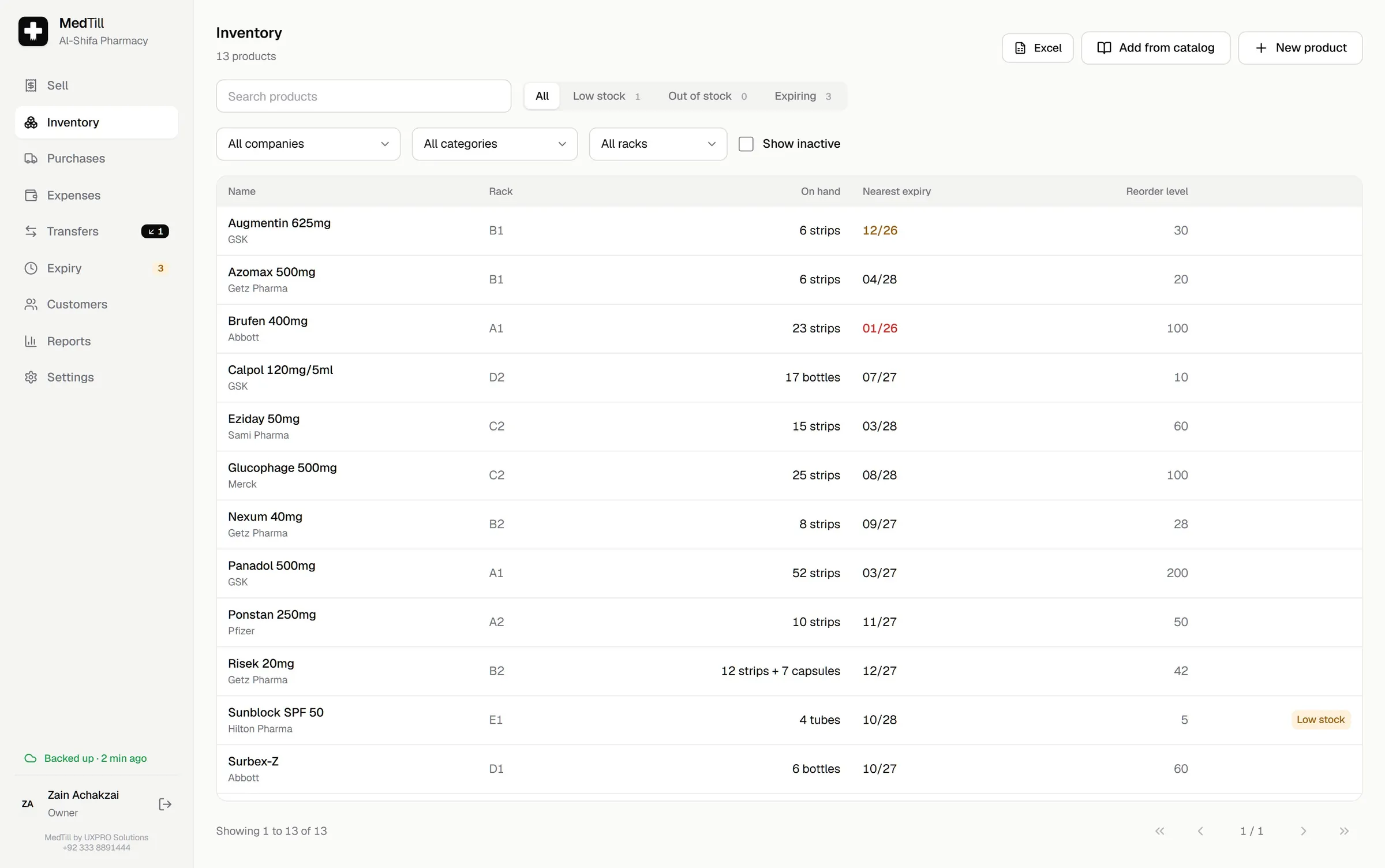
Catalogue and stock, traceable to the batch
Every strip is traceable from supplier bill to sale to return, with the shelf, the batch and the expiry date always attached.
- Products, units, barcodes, salts, manufacturers and rack locations
- Batch-level stock and full movement history for every medicine
- Stock adjustments are owner-only and audited
- A reorder list built from real sales, not guesses
- 36,000+ medicine catalogue shipped in, editable per pharmacy
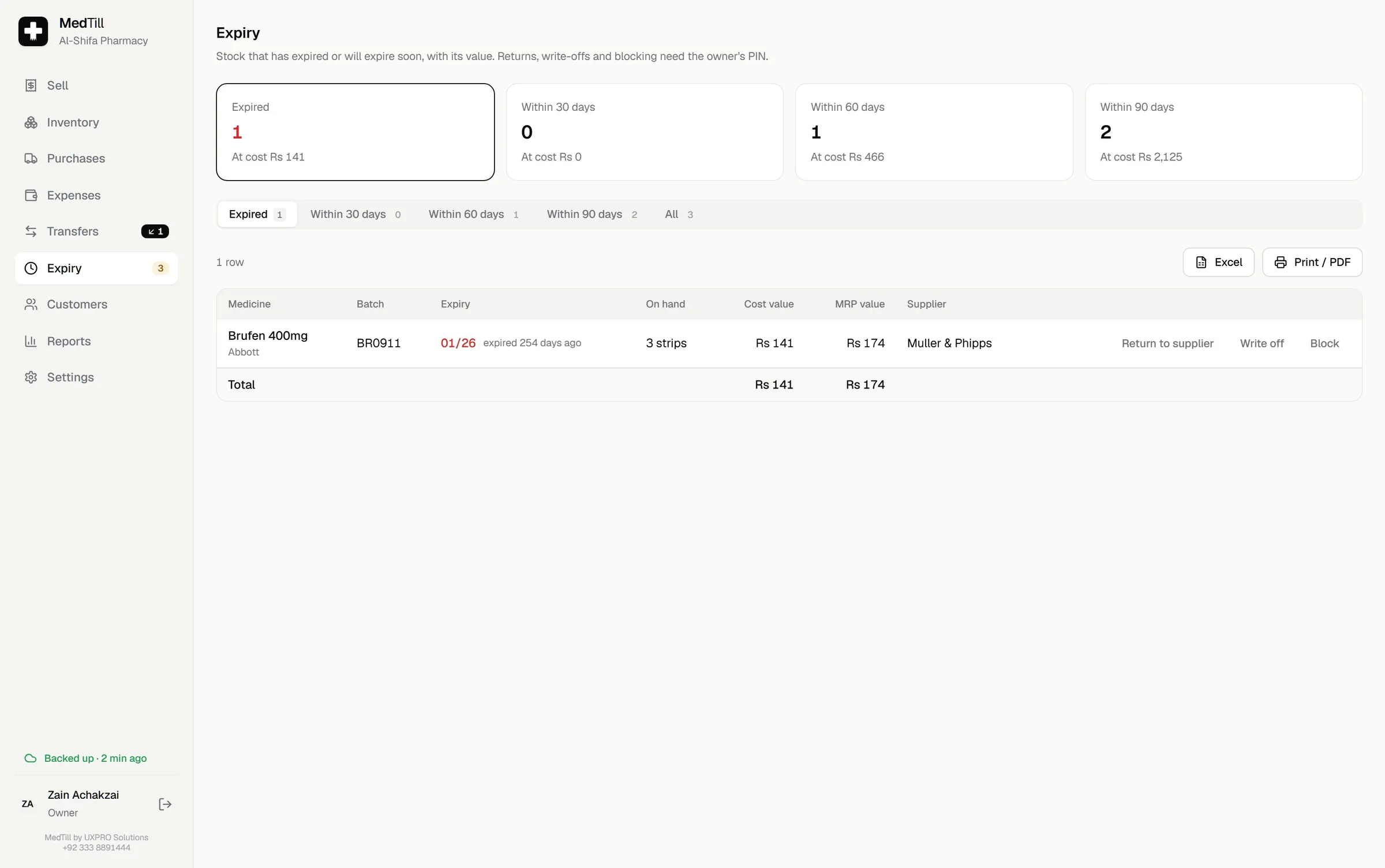
Expiry under control
Dead stock is money already lost, so MedTill puts it in front of you before it costs you, grouped and valued.
- Expired, 30, 60 and 90 day groups with their cost value
- Write off, block from sale, or return to supplier
- Owner approval on every action
- Never be surprised by an expired rack again
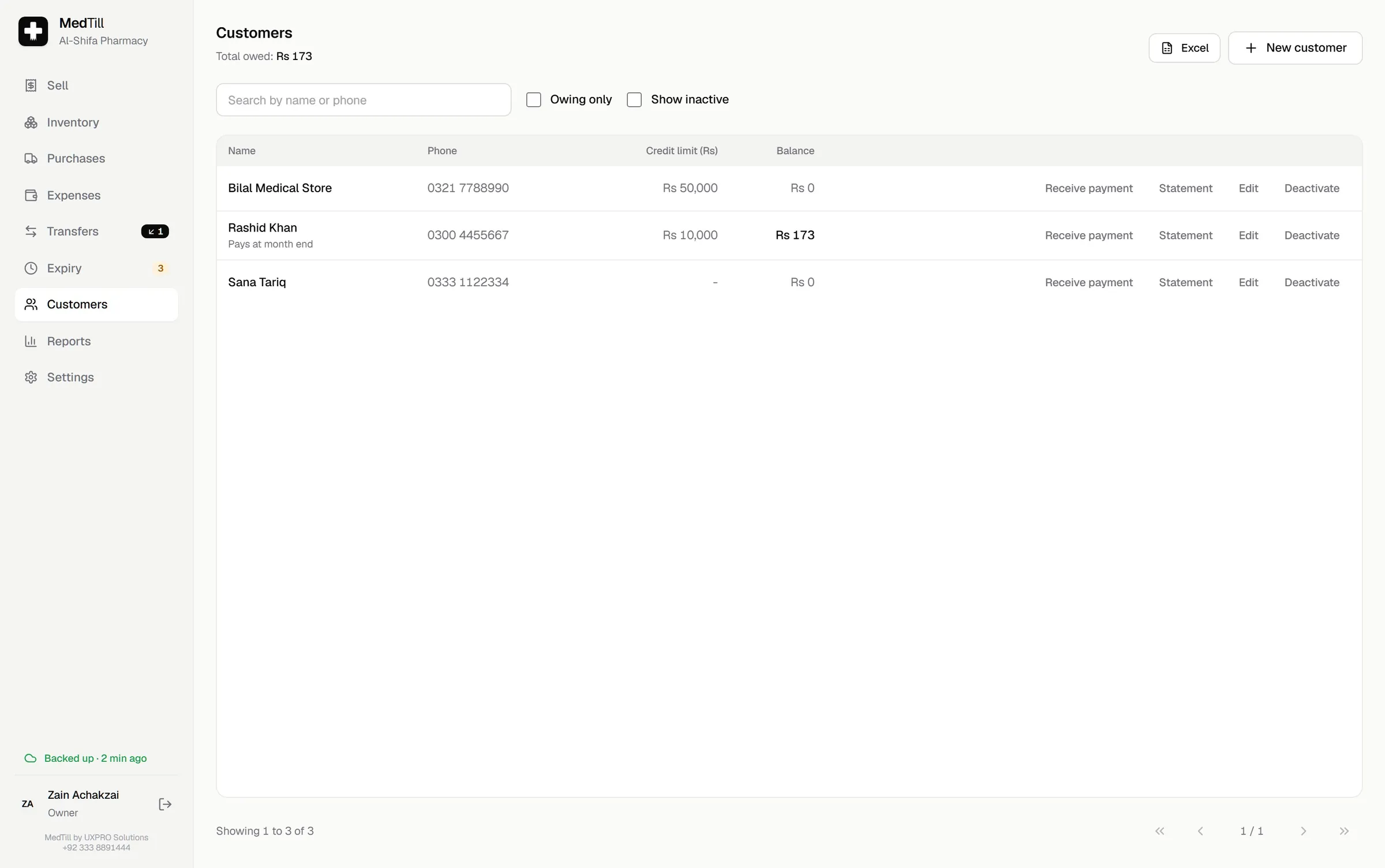
Credit customers, kept in order
Keep balances and statements for the customers your pharmacy runs tabs with, and stop a sale before it goes too far.
- Balances, credit limits and statements per customer
- Receive payments against a running balance
- A sale that would break the credit limit stops and asks
- Fast lookup while a customer waits at the counter
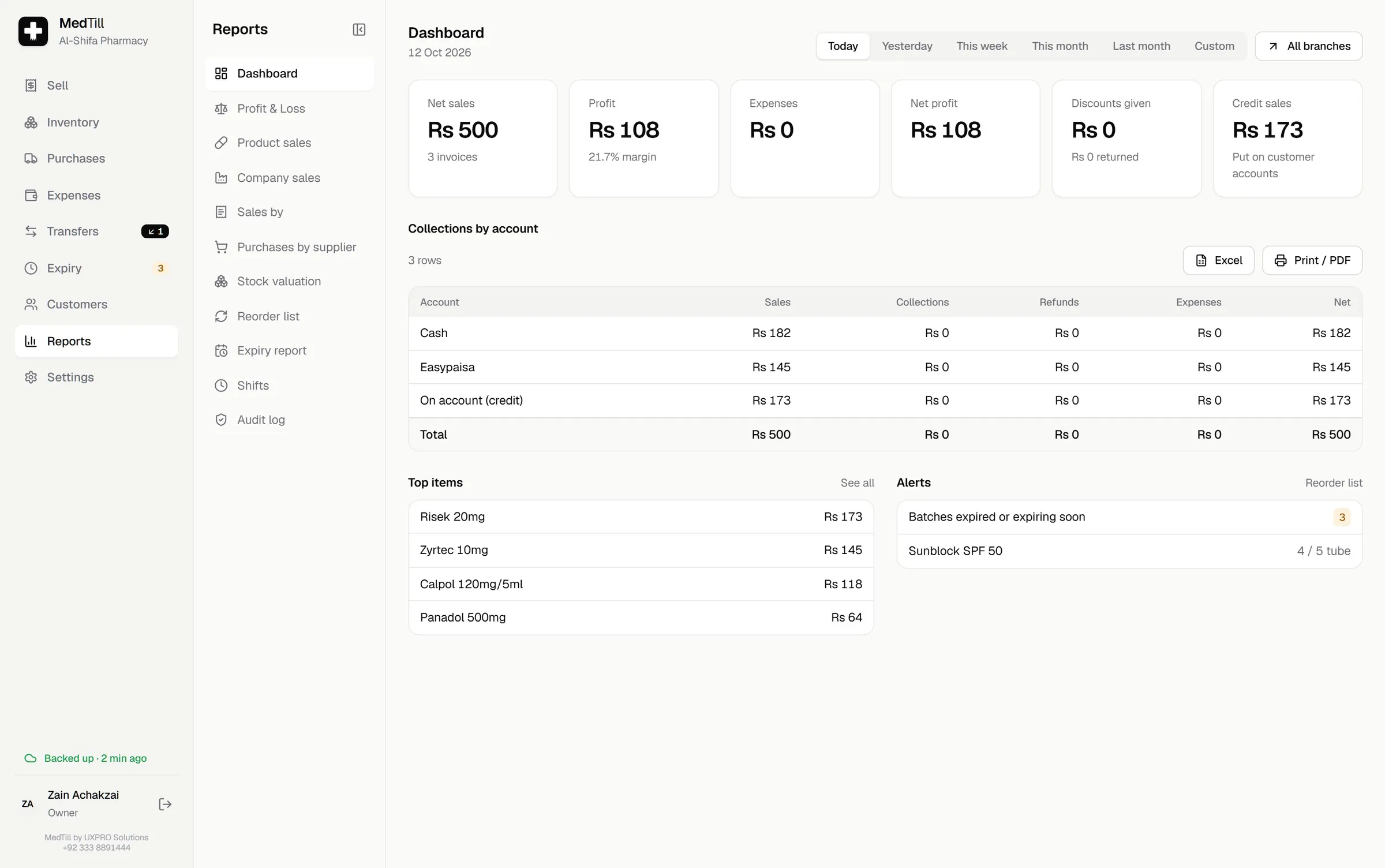
Reports that answer the owner's questions
Not a wall of charts, just the numbers an owner asks for every evening, each one drilling down to the invoices behind it.
- Today dashboard: net sales, profit, expenses, net profit
- Sales by product, company, salt, day, cashier and account
- Stock valuation and reorder list
- Profit & Loss: gross profit minus write-offs minus expenses
- Excel and PDF export on every report
- An audit log of every sensitive action, with who and when
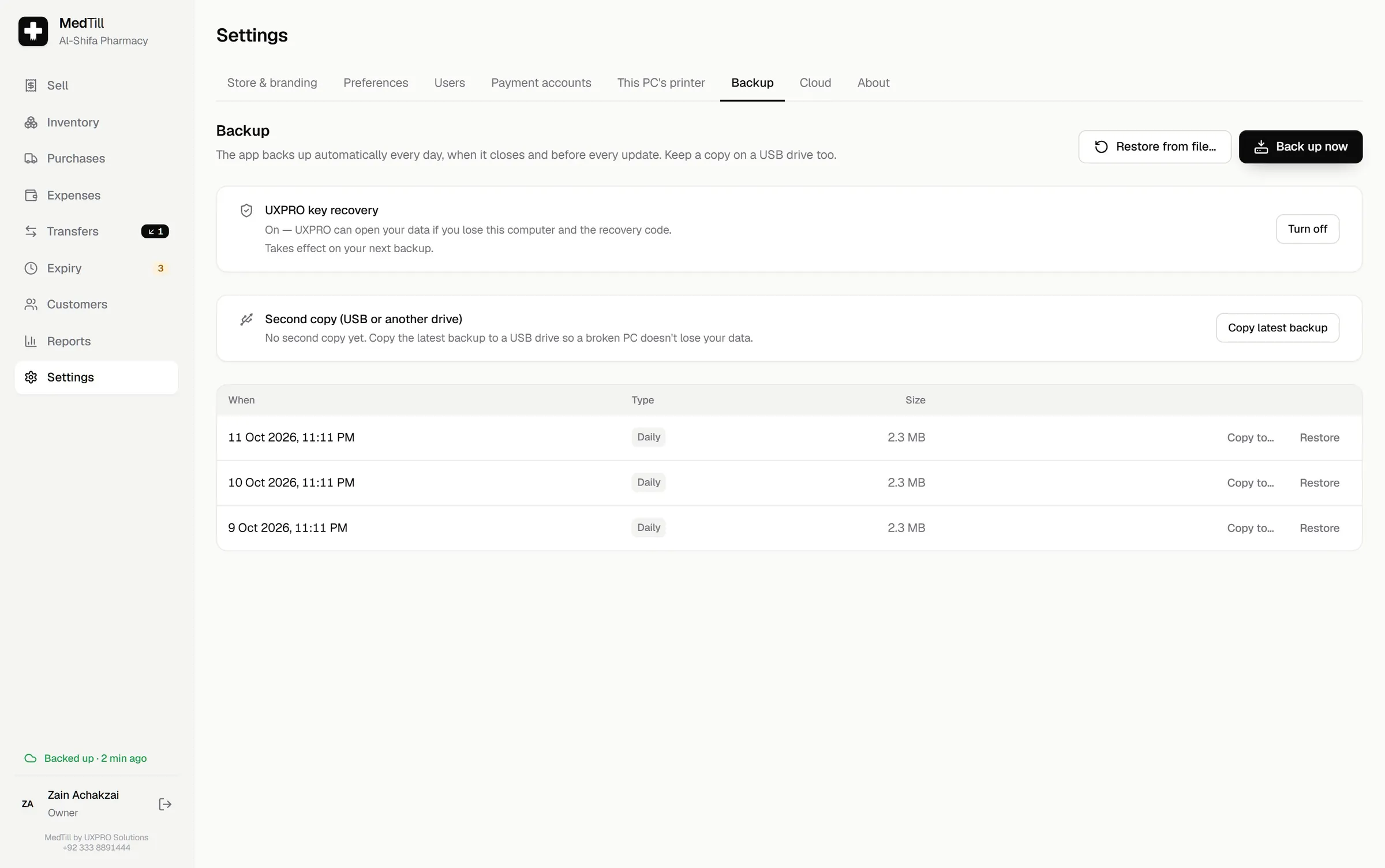
Your data, protected by default
A pharmacy's data is the business itself. MedTill protects it in layers, silently, every day, without anyone having to press a button.
- The database is encrypted with SQLCipher
- Its key is sealed by Windows' own encryption, tied to that one PC
- Automatic daily backups kept 30 days plus 12 monthly
- Copy the latest backup to USB in one click
- A recovery code restores everything onto a new PC
- Optional cloud backup, with the counter always offline-first
Selling that keeps the queue moving
Scan a barcode or search by name, salt or company. MedTill picks the batch that expires first, sells by strip or tablet, and takes payment however the customer pays.
- FEFO batch picking, so the oldest stock sells first
- Sell by strip or by tablet, with your own units
- Split payments across cash, Easypaisa, bank and more
- Discounts within the cashier's limit; above it, the owner's PIN approves
- Credit sales with customer credit limits and balances
- Held carts that come back automatically, even after a restart
And the small things
The details that keep a day running.
The features you only notice when they are missing.
Shifts and the cash drawer
Each shift counts expected cash against the drawer. Refunds, drawer expenses and credit collections all land where they should.
Expenses and real net profit
Record rent, salaries and drawer expenses by category. Profit and Loss shows net profit: gross profit minus write-offs minus expenses.
Roles and the owner's PIN
Owners see everything; cashiers sell, check stock and manage their own shift. Sensitive actions ask for the owner's PIN, and every one is logged.
Barcode scanning
Scan a barcode to drop the right batch straight into the cart, with a fallback search by name, salt or company.
Receipts, the way you print
80 mm and 58 mm thermal receipts with a cash drawer, A4 invoices on a normal printer, or a receipt straight to WhatsApp.
Several tills, one shop
Add counter PCs over your shop's network. Each keeps its own printer, shift and held carts, against one live stock figure.
Optional add-ons
Turn on only what you need.
The core system runs on one PC and never expires. These extras are quoted per pharmacy, and upgrades happen in place.
Cloud backup
Every change uploaded quietly in the background. Selling never waits for it and works fully offline. Restore a whole shop onto a new PC from the setup wizard.
Multi-branch dashboard
A read-only web dashboard for owners: sales, profit, stock lookup, expiry and branch health across every branch, on your phone.
Stock transfers
Send stock to another branch at cost, with in-transit tracking and transit-loss recording when a line arrives short.
FBR tax reporting
Report sales and returns to FBR and print the FBR invoice number and QR code on receipts. Works offline; sales queue and send when FBR is reachable. In final pilot testing.
See these screens with your own medicines.
Book a free demo and we'll walk through MedTill with your pharmacy's real workflow: purchases, expiry, credit customers, everything.